Ok, I should be preaching to the converted here – using social media is a great way to attract more visitors (and therefore potential clients) to your website. So today’s top tips are 3 very simple fixes to increase the chances of those ‘listeners’ converting to visitors. And it’s all about where you put your website address.
Facebook Pages
When you set up a Facebook page one of the fields you fill in is the URL of your website. Great, thanks for the prompt, but that’s not enough. Your link is hidden away on your Information tab which, let’s be honest, a fair number of visitors won’t look at.
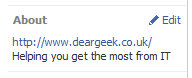
Now you can put your address in your profile picture, as that appears on every tab, but people can only read and not click on it. Instead, add it to your About box.
The About box can be found below your profile picture, below the list of tabs and just above your number of Likes. There will be a little Edit icon next to it. Because the About information gets truncated, make sure your URL is the first part of the entry.
Having your address in this box definitely increases the number of clicks through to your site.
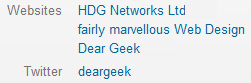
This is a bit of a strange one, as it helps us work around some of the idiosyncrasies of various twitter apps. Again, we all know there is a field for our website address on twitter, but I’d suggest putting it into your Bio as well. Let’s compare these two:

On twitter.com, the profile on the left has two websites, the one on the right only has one. So what’s the point of that? Well, let’s have a look at the same profiles on a different platform – in this case, Tweetdeck on Android:
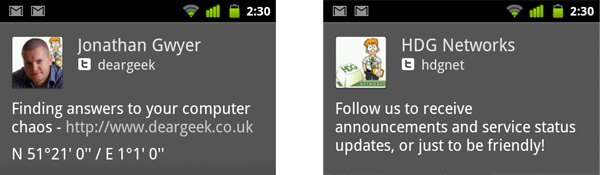
Tweetdeck on Android doesn’t show the usual website link, but it does show the full bio and converts any URLs into links. I don’t know how many other twitter apps do the same, I don’t know how many people use them, but I do know that every little helps.
Finally, my least favourite site, but a little tip that owes as much to SEO as it does to getting people to click.
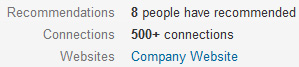
When you set up your profile on LinkedIn, and enter your website address, you can specify whether it is your Personal Website, Company Website, Blog etc. Make sure you select “Other”. This then gives you an extra field to put the name of your website in.
This helps people to identify what they want to click in, and helps your website’s link juice into the bargain!
Happy linking everyone!

A Microsoft Certified Professional with many years of large corporate experience and training, he now focuses on helping small businesses make the most of their IT.
- Font Test - March 30, 2022
- An open letter of apology to Anna Firth - November 8, 2019
- My story – being a mum to a colour deficient son - September 9, 2019