When I worked for a very big corporate, one of my colleagues was blind. Of the many things I learned from him (besides what it’s like to share an office with a dog*) one was the importance of website accessibility.
This guy was responsible for selecting and managing service providers for this big company – to be selected to provide a service to a company this size can completely change your business. Of course, when your only contact with someone is via email, you’d have no idea he was blind. And so many of those emails would contain the words “see our website for more details” so he would.
The way this guy used his PC was amazing. He had a small Braille device above the keyboard but most of the time he used his headphones. He had software on his PC that would read out every piece of text, menu, pop-up and option box. How he coped with this cacophony I do not know!
What’s this got to do with websites?
Now, your website is your shopfront. And just as you wouldn’t open a shop with a 2-foot step at the door to prevent the disabled getting in, you should be building your website to allow the visually impaired in. There’s some very useful information at the RNIB website about the UK law for website accesibility – yes, this is a legal requirement. In fact, the RNIB started their first case against a website earlier this year.
When this guy visited a website that he couldn’t read, well, that supplier got crossed off the list. Plain and simple.
There are lots of things you can do to make your website more accessible, but three really important starters are:
- Don’t use images as text, unless you have all the text available elsewhere or in ALT tags
- Don’t use tables to layout your design – screen readers hate these. Besides, if you’re a web designer who hasn’t learnt CSS yet, get your coat.
- Don’t build your entire site in Flash – lots of DIY website tools used to be built in Flash but fortunately that is starting to die out. Not so much because they are invisible to the visually impaired – because they don’t work on iPads!
Google cares too
Google indexes sites based on their content – i.e. the text on the page. Headings and text all play a vital role in your website competing against other sites in the all important Google rank. If your site doesn’t have text and headings, it won’t be ranked highly. We all know that adding a few meta keywords to your site does nothing for Google now. And a little description tag at least gives people something to read if they do find your site on Google. But for any useful search phrases, your site will appear right down at the bottom if it doesn’t have some content.
How can I tell what my site looks like to a visually impaired visitor?
The simplest check is to turn off images – this page explains how to disable images in your web browser. Try it now and you’ll see that although it looks a lot less pretty, on this page you can still read all the content and navigate the site. That’s because all our fairly marvellous website design work is accessibility and SEO friendly.
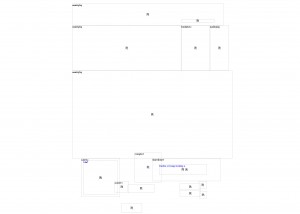
I’ll leave you with a screenshot of a website that demonstrates this perfectly – unfortunately I probably didn’t explain the issue too well so the owner remains someone else’s client! It does look fantastic when the images are turned on though.
* This dog had a habit of ignoring his basket. I would come back from meetings to find him curled up under my desk – this blonde Labrador went so well with my black suit!

A Microsoft Certified Professional with many years of large corporate experience and training, he now focuses on helping small businesses make the most of their IT.
- Font Test - March 30, 2022
- An open letter of apology to Anna Firth - November 8, 2019
- My story – being a mum to a colour deficient son - September 9, 2019